


What is a Laptop Bag? 2025-2026 Buying Guide
Apr 11, 2026
Leave a message
A laptop bag is a specialized carrying case designed specifically for laptops. It protects, transports, and organizes your laptop along with its cables, charger, mouse, and other daily essentials. Unlike regular bags, it features a dedicated padded compartment with thick cushioning that safeguards the device from bumps, drops, and pressure during daily commutes, business trips, or flights.
Most laptop bags are built slightly larger than the laptop itself. This extra space allows room for accessories while keeping the computer securely placed in its own protected zone. At FENGLINWAN, we produce high-quality laptop bags every day for brands around the world. In this article, we will share everything you need to know about laptop bags.

What is a Laptop Bag
A laptop bag serves one main purpose: keeping your computer safe while you move. It uses thick padding - often foam or high-density sponge - in a separate compartment to absorb shocks. The rest of the bag holds cables, documents, and small items without letting them press against the laptop.
Key differences from ordinary bags include the structured laptop sleeve inside, reinforced base, and thoughtful layout that prevents the device from sliding around. Materials commonly include waterproof nylon, polyester, or sometimes leather for a more formal look. Many designs now add trolley sleeves that slide over suitcase handles for easier airport travel.
In short, a laptop bag is not just storage. It is protective gear built around the reality that laptops travel a lot and get knocked around. A well-made one reduces the chance of screen cracks or hard drive issues from daily use.
Key Functions a Laptop Bag Should Have
Not every bag labeled "laptop bag" performs equally. Focus on these core functions when evaluating options.
Protection comes first. Look for full padding on the bottom, sides, and top of the laptop compartment. Shock-absorbing materials help when the bag gets dropped or squeezed in crowded trains. A false bottom or extra reinforcement at the base adds another layer against impacts from below.
Organization matters for daily use. Multiple compartments keep chargers from tangling with files. Dedicated pockets for pens, business cards, and a mouse make it faster to grab what you need without digging. Good designs place the power adapter pocket away from the main laptop area to avoid heat buildup.
Comfort during carrying separates usable bags from tiring ones. Wide, padded shoulder straps with ergonomic curves reduce shoulder strain on long commutes. Breathable back panels help with airflow on backpack styles. Handles should feel solid, not flimsy, and many bags now include a trolley pass-through strap.
Additional useful features in 2026 include water-resistant or waterproof outer fabrics, RFID-blocking pockets for cards, and occasional USB charging ports that connect to a power bank. For frequent flyers, checkpoint-friendly layouts with fewer internal pockets allow quicker laptop removal at security.
A laptop bag that only checks one or two of these boxes usually falls short after a few months of real use. Strong protection combined with smart organization and comfortable carry delivers the best long-term value.
Laptop Bag vs Other Computer Bags: Key Differences
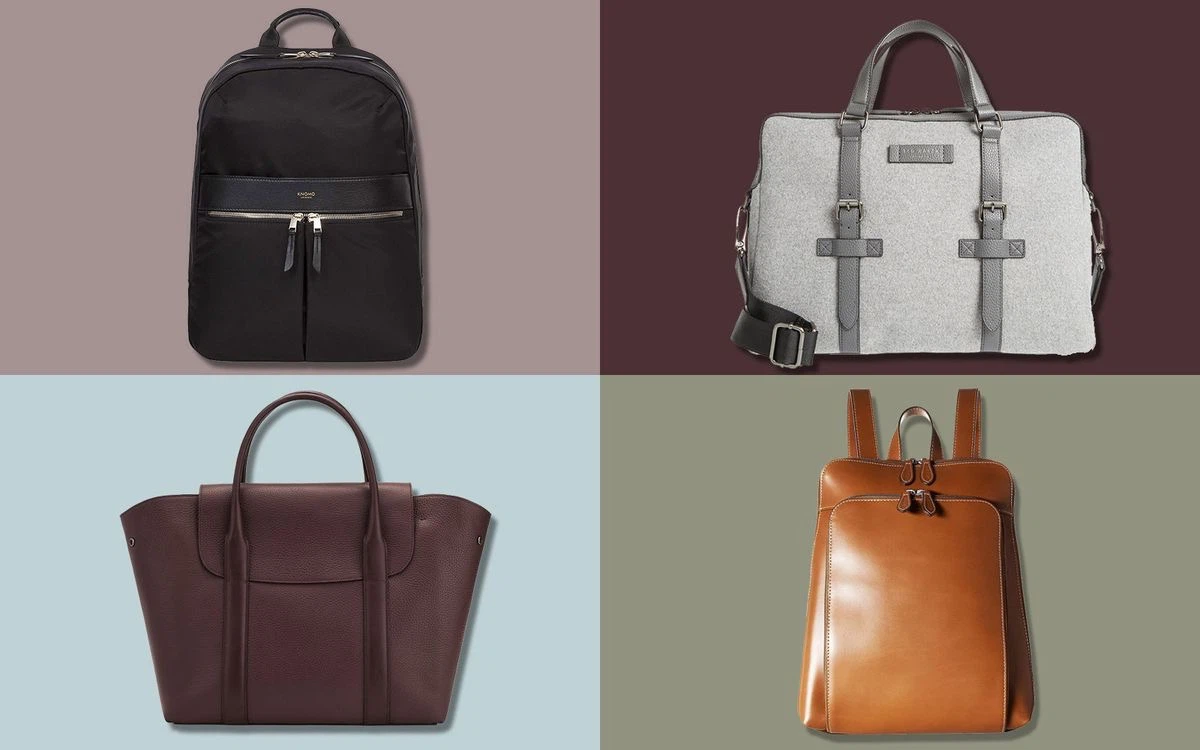
People often mix up terms. Here is how a dedicated laptop bag compares with similar options in practice.
|
Type |
Main Strength |
Main Weakness |
Best For |
|
Laptop Bag (general) |
Balanced protection + storage |
Can feel bulkier than minimal options |
Daily commuters and professionals |
|
Laptop Sleeve |
Ultra-light, slim protection |
Almost no extra storage or carry comfort |
Used inside another bag |
|
Laptop Backpack |
Excellent weight distribution for heavy loads |
Less formal appearance |
Students, travelers with lots of gear |
|
Messenger Bag |
Quick side access, professional look |
Single-shoulder strain over time |
Short commutes, creative work |
|
Briefcase |
Structured, business formal |
Heavier, less flexible |
Executive meetings |
|
Tote Bag |
Large capacity, easy hand carry |
Weaker dedicated laptop padding |
Women or mixed daily use |
Laptop Bag vs. Laptop Sleeve
A laptop sleeve is the simplest option. It is slim, compact, and mainly protects against scratches and light surface impact. It works well inside a larger bag, but it rarely replaces a full laptop bag for daily work.
If someone carries only the device from desk to meeting room, a sleeve may be enough. If they carry a charger, notebook, papers, and other accessories, it usually is not.
Laptop Bag vs. Laptop Backpack
A laptop backpack is better for heavier loads and longer carrying time. It spreads weight more evenly and usually gives more storage capacity. That makes it a strong choice for students, commuters, and travelers.
A laptop bag, especially in briefcase or shoulder format, usually feels more streamlined for office work and formal settings. It is often easier to pair with business clothing and faster to access in meetings.
Laptop Bag vs. Messenger Bag
A messenger bag is defined more by carry style than by internal protection. Some messenger bags are well-designed for laptops. Others are simply shoulder bags with space inside.
That is the key difference. A laptop bag is built around the device. A messenger bag may or may not be.
Laptop Bag vs. Briefcase
A briefcase is more traditional and more formal. It works well in professional settings, but it is not always optimized for modern accessories or comfort. Many modern laptop bags borrow the look of a briefcase while adding padded compartments, lighter materials, and more flexible storage.
So the difference is not just appearance. It is whether the bag was developed for today's laptop workflow or for paper-based business carry.
Buyers do not need to memorize category names. They need to ask a simpler question: is this bag actually designed around the laptop and the way I work?
Common Types of Laptop Bags and Their Real-World Use
The right laptop bag type depends on where the bag is used, how long it is carried, and what else needs to go inside.
Briefcase-Style Laptop Bags
These bags suit office work, meetings, and business settings. They usually have a cleaner profile, a structured body, and easier document storage. For professionals who want a formal look without carrying too much, this is often the right starting point.
Messenger Laptop Bags
Messenger-style laptop bags work well for city commuting and short-distance daily use. They are quicker to open and easy to carry on one shoulder. The limitation is weight. Once the bag gets heavy, the asymmetrical load becomes obvious.
Laptop Backpacks
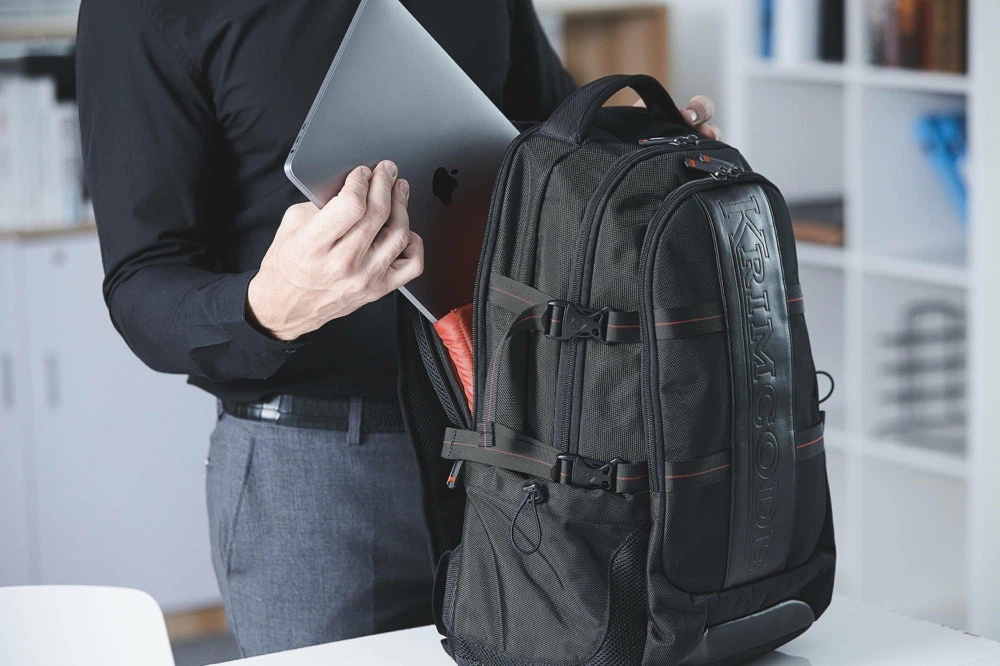
Laptop backpacks are the most practical option for users carrying more gear. They fit commuting, school, and business travel especially well. The best ones control weight, protect the laptop with a suspended or padded compartment, and keep the interior from becoming a single large cavity.
Laptop Tote Bags
Laptop tote bags combine office carry and lifestyle use. They are popular with users who want a less technical appearance and a bag that moves easily between work and daily life. The best tote-style laptop bags keep structure inside. Without that, style takes over and protection drops.
Slim Laptop Bags
Slim laptop bags are built for light carry. They are a good choice when the user needs the laptop, a charger, and perhaps a few papers, but not much more. For minimal office routines, they work well. For travel or school, they often run out of space too quickly.
Travel Laptop Bags
Travel laptop bags are built around movement. They usually have more compartments, stronger structure, better access, and travel-focused details such as luggage attachment sleeves. For airport-heavy users, these details are not marketing extras. They remove friction from every trip.
No single type is best for everyone. The best type is the one that matches the user's carrying load, setting, and routine without forcing compromise every day.
How to Choose a Laptop Bag Based on Your Needs
Most buying mistakes happen because people choose by appearance first and function second. A laptop bag should be selected in the opposite order.
Start with Laptop Size
Do not choose a bag based only on screen size. A 15.6-inch laptop from one brand can have different overall dimensions from another. The internal compartment size is what matters.
- 13–14 inch laptops: Need internal compartments roughly 13.5–15 inches wide.
- 15–15.6 inch laptops: Look for 15–16.5 inches of internal width with 1–2 cm extra room for easy insertion and removal.
- Larger 16–17 inch machines: Require wider openings and deeper padding.
The fit should be secure, but not tight. A laptop should slide in without pressure and still have enough structure around it to limit movement.
Choose Based on Daily Use
The bag for a student is not the bag for a sales manager. The bag for a frequent flyer is not the bag for someone walking ten minutes to the office.
This is a more useful buying framework:
|
User Type |
Priority |
|
Office commuter |
Light weight, clean design, basic protection |
|
Business professional |
Structured appearance, material quality, document storage |
|
Student |
Capacity, comfort, value, multi-use storage |
|
Frequent traveler |
Easy access, stronger protection, travel-ready features |
|
Minimal daily carry |
Slim profile, low bulk, quick organization |
Check the Protection Level
Look for a dedicated laptop compartment, bottom support, practical padding, and separation from hard accessories. Protection should be visible in the structure, not just claimed in the product title.
Look at Material and Build Quality
For everyday work bags, nylon and polyester with a good water-resistant finish are practical choices. For premium business bags, leather or mixed materials can work well, but only if the build quality justifies the added cost.
Zippers, binding, strap anchors, and handle reinforcement tell you more about long-term performance than product slogans do.
Pay Attention to Storage Layout
Good layout saves time. Poor layout creates clutter. The bag should fit the items the user carries every day, not the items shown in a marketing photo.
A buyer should ask:
- Is there separate space for the charger and cables?
- Can documents stay flat?
- Are small items easy to find?
- Can the laptop be removed without unpacking the whole bag?
Consider Comfort and Water Resistance
If the bag will be carried often, strap design and handle comfort matter. If it will be used in daily commuting, water resistance matters too. Not because the bag needs to survive a river crossing, but because real work bags face rain, wet pavements, coffee spills, and airport floors.
Common Mistakes to Avoid
- choosing by outer appearance only
- checking outer dimensions instead of laptop compartment size
- assuming more pockets automatically means better organization
- treating "waterproof" and "water-resistant" as the same thing
- buying a shoulder bag for a load that really needs a backpack
The right laptop bag feels appropriate from the first day because it matches the user's routine, not because it looked impressive on a product page.
How to Maintain Your Laptop Bag
A laptop bag lasts longer when the user treats it like equipment, not like a throw-in accessory.
Clean It Regularly
Dust, dirt, and surface stains build up quickly, especially around handles, corners, and the base. Fabric bags usually need simple wiping and occasional spot cleaning. Leather needs gentler care and should not be soaked or scrubbed aggressively.
Keep It Dry
Water-resistant materials can handle light exposure, but that does not mean the bag should stay wet. If the bag gets damp, it should be aired out and dried naturally. High heat can damage coatings, adhesives, and some synthetic materials.
Avoid Overloading
Overloading puts stress on the seams, zippers, handles, and shoulder straps. It also reduces laptop protection because the device starts sharing pressure with everything around it.
Store It Properly
When the bag is not in use, keep it in a dry place and avoid crushing it under other items. Structured bags hold shape better when stored upright or lightly filled.
Good care does not need to be complicated. Most damage comes from long-term neglect, repeated overloading, and bad storage rather than one dramatic event.
FAQ
What is the difference between a laptop bag and a regular backpack?
A laptop bag has a specific padded compartment designed around the computer's shape and protection needs. Regular backpacks often lack this structured protection.
How thick should the padding be?
Aim for at least 10–15mm of high-density foam on all sides of the laptop area for everyday protection. Thicker is better for frequent travel.
Does my laptop bag need to be checkpoint-friendly?
It helps at security if you fly often. Designs with simpler internal layouts let you remove the laptop faster, though TSA still typically requires separate screening.
Can I use a laptop bag as a personal item on flights?
Yes, as long as it fits under the seat (check your airline's exact dimensions). Many of our designs meet common limits when not overpacked.
How do I know if the waterproofing is real?
Look for actual performance in rain tests rather than vague claims. High-quality nylon with taped seams performs noticeably better than basic coatings.
Conclusion: Is a Laptop Bag Worth It?
Yes, for most laptop users it is.
A proper laptop bag protects the device, keeps work items organized, and makes movement easier. It also reduces the small daily problems that cheap or badly designed bags create: poor fit, messy interiors, shoulder strain, weak handles, and unnecessary wear on the laptop itself.
The right choice is not the most expensive bag. It is the one that fits the laptop correctly, matches the user's routine, and is built with sensible materials and construction. That is how a laptop bag stops being just another bag and becomes a working tool.
Discover Fenglinwan, a trusted laptop bag manufacturer in China. With our own factory, we specialize in laptop bags, laptop sleeves, and digital protective cases. Our products serve brands, wholesalers, and e-commerce sellers worldwide. Contact us for free samples.
